Mini Games
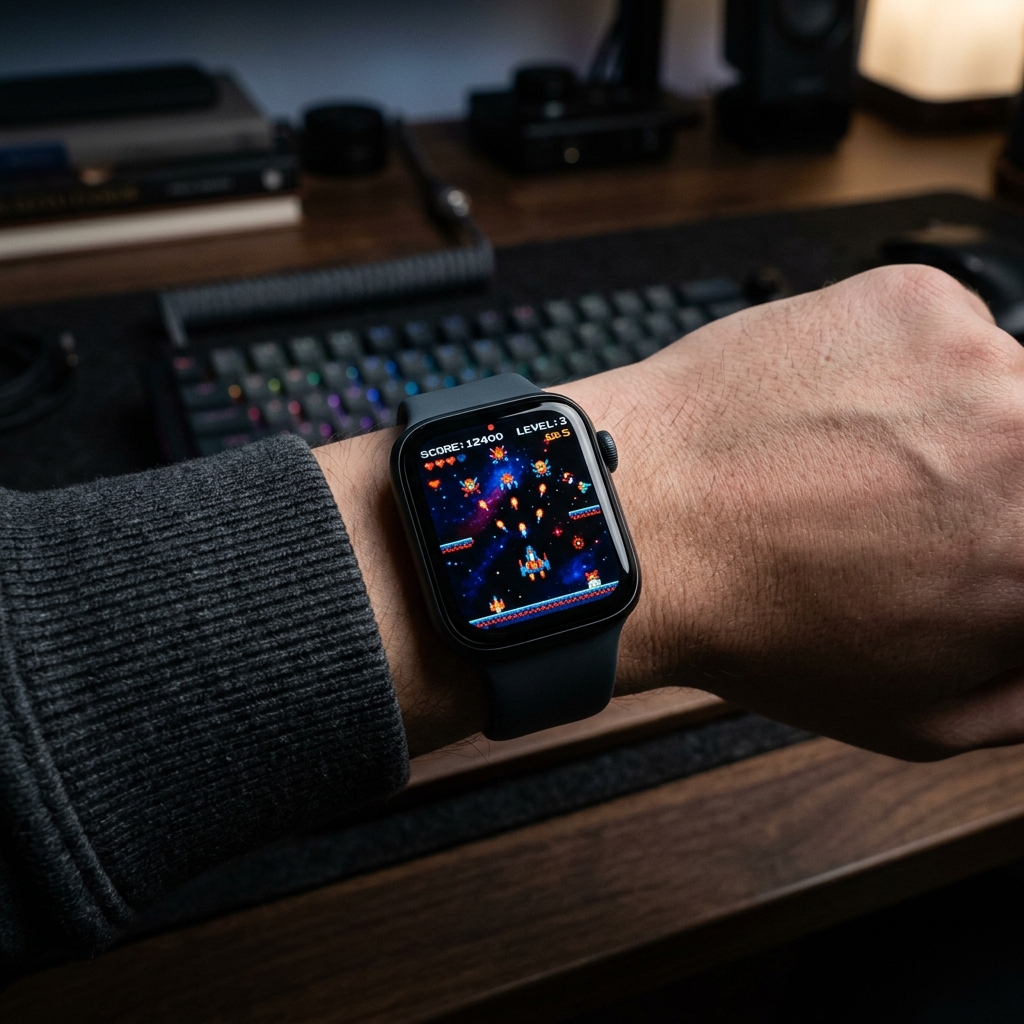
Four games on your watch — Bricks, Snake, 2048 and Tic Tac Toe. Play in the app, then read the frozen frame of your last game right on the dial, next to battery, weather, steps and calories. Inspired by 2048 by Gabriele Cirulli (MIT).
★ 5.0 • 4 Variants • watchOS Compatible
Features & Complications
- Battery
- Weather
- Temperature
- Steps
- Calories
Available Color Variants
Frequently Asked Questions
How do I install a watch face on my Apple Watch?
Open the Space app on your iPhone, select your preferred watch face design, and tap "Add to My Watch". The watch face will open directly in the official Apple Watch app on iOS. From there, tap "Add to Current Faces" and it will immediately appear on your wrist.
Which Apple Watch models and watchOS versions are supported?
Space watch faces and WidgetKit complications support Apple Watch Series 4 through Series 10, Apple Watch SE (1st & 2nd gen), and all Apple Watch Ultra models. For the best experience, we recommend running watchOS 10 or watchOS 11 (and watchOS 27).
Do I need the companion watchOS app installed on my Apple Watch?
For static face designs, the iPhone app is sufficient. However, for live telemetry complications (step counters, heart rate zones, moon phases, weather) and mini-games like Pocket Pals, the companion watchOS app must be installed on your watch.
More Watch Faces
- NEON SIGN — AM/PM sign, heart rate, battery and weather on a neon board, with calories, steps and stand hours in segmented rings. Lit tubes are active, dim glass is not.
- Halo Ring — Steps fill the top of the ring, heart rate the bottom; temperature, UV, battery and calories sit in the corners.
- Pocket Pals — A virtual pet you raise — it grows through life stages, shows its mood, and lives in a little world that blooms with good care. The four rings are your real data: battery, weather, steps and calories.
- Outdoor Companion — Temperature, wind speed, steps, distance and calories — everything for your outdoor adventures. Battery level included.
- Blueprint Dashboard — Industrial blueprint frames with date, weather, steps, calories, flights climbed and battery.
- Vitals Weather — Weather, steps, calories and heart rate at a glance on a bold filled dashboard.
Apple Watch Guides & Articles
- How to Share Apple Watch Faces & Install Shared Links in 2026 — Learn how to share Apple Watch face layouts via Messages, AirDrop, and web links. Complete guide to exporting .watchface files and fixing missing complications.
- Retro Apple Watch Faces: Best Vintage & LCD Dials in 2026 — Discover the best retro Apple Watch face designs and vintage LCD dials in 2026. Explore Casio-inspired 7-segment layouts and OLED battery-saving tips.
- Apple Watch Ultra 4 vs Ultra 3: Is the Rugged Upgrade Worth It? — Apple Watch Ultra 4 vs Ultra 3 compared: 50-hour battery life, 18-hour dual-frequency GPS workouts, 3nm S11 chip, and high-frequency Health Sensing.
- Apple Watch Series 12 vs Series 11: Is the Upgrade Worth It? — Apple Watch Series 12 vs Series 11 comprehensive comparison: Ceramic Edition comeback, 24x faster HRV health sensing, daily Readiness Score, and S11 chip.