Apple Watch Face Sizes Compared: 40mm, 41mm, 42mm, 45mm, 46mm & 49mm Guide
Apple Watch face sizes compared across 40mm, 41mm, 42mm, 45mm, 46mm, and 49mm cases. Compare display area, resolution, complications, and wrist fit.
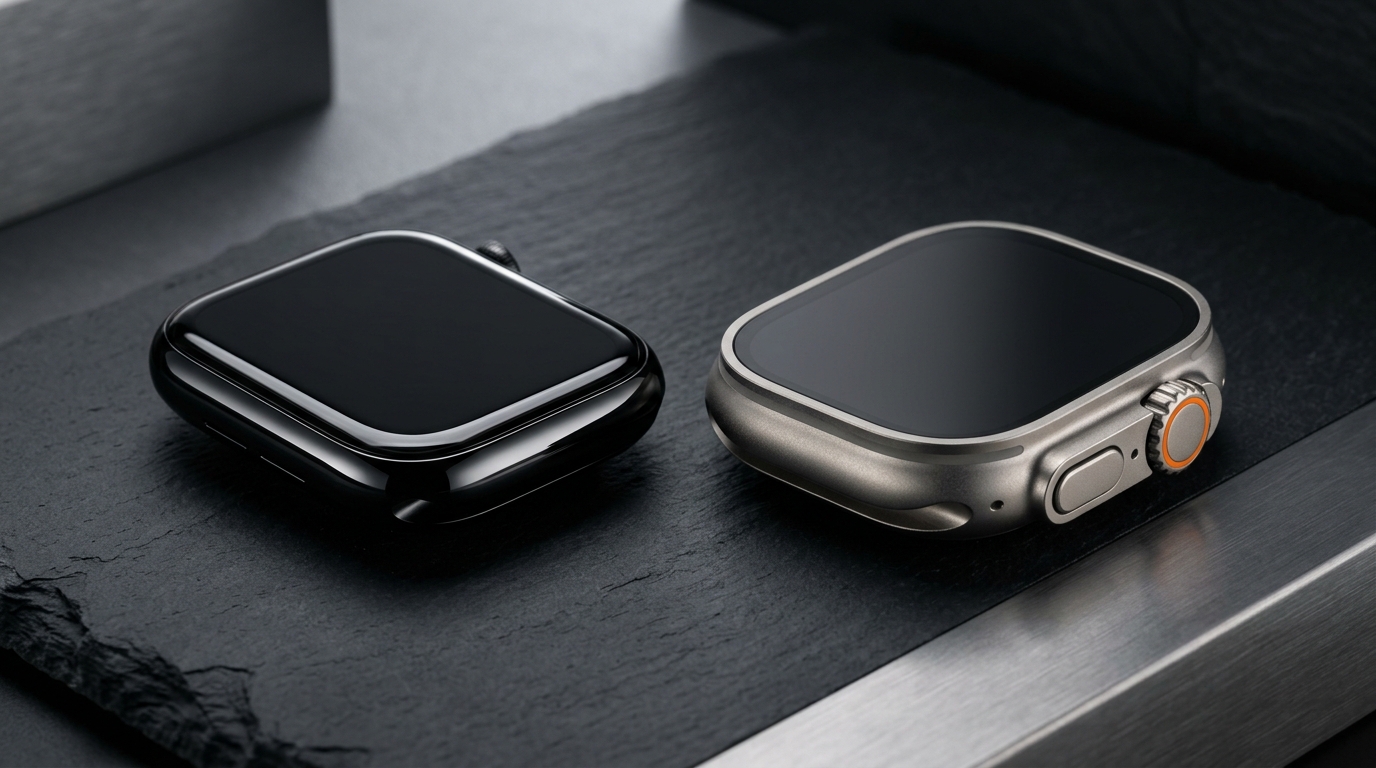
Selecting the right Apple Watch case size is one of the most consequential decisions in wearable tech. Because Apple treats screen dimensions, casing volume, battery capacity, and lug proportions as an integrated system, picking between modern and legacy form factors directly dictates how information renders on your wrist. Whether assessing compact daily drivers, sleek edge-to-edge flagships, or rugged exploration hardware, having apple watch face sizes compared side-by-side reveals surprising shifts in screen geometry. A modern 42mm display actually delivers far more usable interface space than a legacy 44mm watch, while the 46mm chassis rivals the active pixel canvas of the 49mm Ultra.
Understanding these display metrics ensures your watch face complications remain legible, your watch bands align securely, and your device wears comfortably through intense workouts and overnight sleep tracking.
Apple Watch Face Sizes Compared: Display Area, Resolution, and Pixel Density
To evaluate screen real estate accurately, case height in millimeters tells only part of the story. The true user experience is governed by active display surface area (measured in square millimeters), pixel resolution, and border thickness. Over successive generations, Apple has reduced perimeter bezels from bulky 3.0mm borders down to sub-millimeter margins, causing screen area to expand dramatically without proportional inflation in outer case bulk.
Here is how active display area and resolution compare across the primary Apple Watch form factors:
- 40mm Case (Apple Watch SE 1st/2nd Gen, Series 4–6): Measures 324 by 394 pixels, providing approximately 759 square millimeters of viewable display area. It features a 326 PPI Retina display with standard OLED technology.
- 41mm Case (Apple Watch Series 7, Series 8, Series 9): Measures 352 by 430 pixels, providing approximately 904 square millimeters of viewable display area. The display border was narrowed to 1.7mm, granting a 19 percent screen area increase over the 40mm casing.
- 42mm Case (Legacy Series 1, Series 2, Series 3): Measures 312 by 390 pixels, yielding approximately 740 square millimeters of viewable screen area surrounded by thick rectangular bezels.
- 42mm Case (Modern Series 10): Measures 374 by 446 pixels, yielding approximately 970 to 989 square millimeters of viewable screen area. Powered by Wide-Angle OLED technology with LTPO3 backplane efficiency, this compact modern casing provides more screen real estate than the older 44mm Series 6 (904 sq mm).
- 44mm Case (Series 4–6, Apple Watch SE 1st/2nd Gen): Measures 368 by 448 pixels, delivering approximately 977 square millimeters of viewable display area.
- 45mm Case (Apple Watch Series 7, Series 8, Series 9): Measures 396 by 484 pixels, providing approximately 1,143 square millimeters of viewable screen area with rounded corners and curved display crystal contours.
- 46mm Case (Apple Watch Series 10): Measures 416 by 496 pixels, delivering approximately 1,220 square millimeters of viewable screen area. It represents the largest standard display Apple has ever engineered in an aluminum or polished titanium case.
- 49mm Case (Apple Watch Ultra and Ultra 2): Measures 410 by 502 pixels, delivering approximately 1,185 square millimeters of flat viewable surface area protected by raised titanium lip bezels and flat sapphire crystal.
Compact Cases Examined: 40mm and 41mm Form Factors
Compact case sizes remain the favorite of users with smaller wrists, athletes prioritizing lightweight ergonomics, and minimalists who treat their watch as discreet jewelry rather than an oversized wrist terminal.
The 40mm Platform (Apple Watch SE)
The 40mm casing, currently maintained in the Apple Watch SE lineup, represents the most affordable entry point into watchOS. Its 759 sq mm canvas delivers excellent contrast and sharp typography at a comfortable 326 PPI density. However, because it preserves thicker bezels and lacks the full edge-to-edge contouring of newer flagship generations, screen space is conservative. Text-heavy applications and complex seven-slot watch faces can feel compressed, requiring users to set font scaling carefully via Settings > Display & Brightness > Text Size.- Preserved Benefit: Featherweight wrist presence (under 27 grams for aluminum bodies) makes the 40mm casing exceptionally comfortable for 24/7 sleep tracking and small-wrist ergonomics.
- Explicit Trade-Off: Misses out on native QWERTY on-screen keyboard support in watchOS, forcing reliance on Scribble handwriting, voice dictation, or paired iPhone input for message replies.
The 41mm Refinement (Series 7 through Series 9)
When Apple debuted the 41mm architecture in Series 7, it shaved 40 percent off border widths, expanding active viewable canvas by nearly 20 percent compared to the 40mm SE without noticeably enlarging wrist footprint. The curved display glass bends subtly toward the case edges, allowing full QWERTY swipe typing and supporting richer complication typography.- Preserved Benefit: Compact 41mm outer proportions fit wrists under 150mm perfectly while unlocking full-sized watchOS UI elements and an Always-On Retina display.
- Explicit Trade-Off: The smaller chassis houses a compact battery cell, requiring diligent charging discipline compared to larger 45mm or 46mm chassis during extended GPS workout tracking.
The 42mm Dilemma: Legacy Series 1–3 vs. Modern Series 10 Wide-Angle OLED
The 42mm label causes more confusion in the Apple Watch community than any other size specification. A 42mm Apple Watch from 2017 (Series 3) and a 42mm Apple Watch from 2024 (Series 10) share the exact same nominal millimeter measurement, but their displays belong to entirely different technological eras.
Historical 42mm Display Architecture
Between 2015 and 2017, the 42mm model served as the "large" size option for Series 1, 2, and 3. It featured a boxy display with 740 sq mm of usable canvas, massive black bezels, and sharp right-angled corners. It could only render basic modular watch faces with simple icons and small monospace text strings.Modern Series 10 42mm Display Architecture
In Series 10, Apple repurposed the 42mm designation as the compact tier of its flagship lineup. Built using advanced Wide-Angle OLED technology, this modern 42mm panel delivers up to 989 sq mm of active screen area—nearly 34 percent more screen than the legacy 42mm case and even exceeding the 44mm Series 6.Furthermore, the Wide-Angle OLED architecture optimizes light emission at oblique angles. When your wrist rests flat on a desk, keyboard, or steering wheel, the display remains up to 40 percent brighter when viewed from an angle compared to previous generations. If you are trying to verify your exact hardware generation or identify whether an older device supports modern watch face complications, use our Apple Watch Model Identifier tool to look up your model number and specifications instantly.
Mainstream Large Screens: 45mm vs. 46mm Flagships
For users who want maximum screen readability, full complication dashboards, and easy tap targets, Apple's large flagship tiers are the standard choice.
Series 7, 8, and 9 (45mm)
The 45mm case represents one of Apple's most balanced hardware executions. With 1,143 sq mm of display real estate and 396 by 484 resolution, it comfortably houses complex circular and corner gauges without crowding central time digits. Quick glances during outdoor runs provide immediate clarity on split times, heart rate zones, and audio controls.Series 10 (46mm)
The 46mm Series 10 stretches display boundaries even further, reaching 1,220 sq mm with a razor-thin bezel perimeter. Apple paired this expanded glass with an ultra-thin 9.7mm case depth (nearly 10 percent thinner than previous generations). The result is an expansive visual interface that sits closer to the wrist bone, reducing wobble during high-intensity intervals and sprint workouts.- Preserved Benefit: Unmatched glanceability, enabling larger system font sizes, full QWERTY keyboard swipe accuracy, and dense five-metric workout screens.
- Explicit Trade-Off: The wider case width can overhang wrist edges on wrists measuring under 155mm, occasionally pressing against the back of the hand during push-ups or cycling drop-bar grips.
The 49mm Ultra vs. 46mm Series 10 Display Showdown
Comparing the 49mm Apple Watch Ultra line to the 46mm Series 10 highlights two contrasting engineering philosophies: rugged armor protection versus edge-to-edge optical efficiency.
While the 49mm Ultra sounds larger on paper, its active display area measures 1,185 sq mm—slightly smaller than the 1,220 sq mm canvas on the 46mm Series 10. The extra physical millimeters on the Ultra are dedicated to functional armor:
- Raised Titanium Bezel Lip: Surrounds the flat sapphire crystal face, shielding the screen from direct impacts against rock faces, trail obstacles, or metal gym racks.
- Extreme Luma Capacity: Delivers up to 3,000 nits of peak outdoor brightness and drops down to 1 nit in dark environments, complemented by a dedicated Night Mode interface.
- Chassis Thickness and Mass: At 14.4mm thick and over 61 grams (case only), the Ultra has more than double the volume and weight of the slim Series 10 (9.7mm and ~36 grams).
Watch Face Complication Density Across Screen Sizes
Display size directly dictates how watch face layouts function in daily use. A dense complication dashboard that looks balanced and readable on a 46mm or 49mm screen can quickly become cluttered or unreadable when compressed onto a 40mm canvas.
Dense Complication Setups for Large Displays (45mm, 46mm, 49mm)
Large displays excel at presenting multiple layers of telemetry simultaneously. You can comfortably run dense multi-slot configurations featuring live weather barometers, UV indices, altitude readouts, and battery gauges without sacrificing text legibility.- Our Outdoor Companion watch face leverages large display canvases to provide hikers and endurance runners with simultaneous tracking of heart rate zones, compass orientation, and sunrise/sunset timelines.
- On wide screens, complications can render rich text strings and multi-segment ring meters without clipping corner labels.
Balanced & Typographic Setups for Compact Displays (40mm, 41mm, 42mm)
On compact displays, visual hierarchy is essential. Crowding too many circular mini-gauges onto a 759 sq mm canvas forces watchOS to scale down icon sizes and stroke weights, making quick glances difficult while walking or driving.- Our Cluster Modern watch face utilizes bold, clean typographic numerals paired with essential corner complications, ensuring high contrast and immediate readability even on 40mm and 41mm screens.
- To improve legibility on compact screens, enable Settings > Accessibility > Bold Text and adjust text sizing through Settings > Display & Brightness > Text Size.
Band Compatibility & Generation Lug Architecture
One of the greatest engineering achievements of the Apple Watch ecosystem is backwards band compatibility. However, understanding how case sizes map to band connector widths is critical when upgrading between generations.
Apple groups Apple Watch cases into two primary connector slot widths:
- Small Band Slot Standard: Fits 38mm (legacy), 40mm (SE/Series 4–6), 41mm (Series 7–9), and the modern 42mm (Series 10). Bands designed for a 38mm Series 2 will slide seamlessly and lock securely into a 42mm Series 10.
- Large Band Slot Standard: Fits 42mm (legacy Series 1–3), 44mm (Series 4–6/SE), 45mm (Series 7–9), 46mm (Series 10), and 49mm (Ultra/Ultra 2). Any Sport Band, Milanese Loop, or Trail Loop built for a 44mm watch locks flush into a 46mm Series 10 or 49mm Ultra.
- Preserved Benefit: You can migrate existing band collections spanning ten years of Apple Watch releases to your new hardware without wasting accessories.
- Explicit Trade-Off: While large bands mechanically lock into the 49mm Ultra, bands with narrow leather or silicone profiles may show slight gaps near the Ultra's wide titanium lugs.
Wrist Ergonomics & Selection Framework
Choosing between compact, large, and ultra case sizes requires balancing wrist anatomy against your primary daily use cases.
Step 1: Measure Your Wrist Circumference
Use a flexible tailor's tape or wrap a strip of paper around your wrist just behind the wrist bone:- Wrists Under 150mm (Under ~5.9 inches): The 40mm (SE), 41mm (Series 7–9), or 42mm (Series 10) are the most proportional choices. Larger 45mm and 46mm cases will often extend past the edges of your wrist, causing bands to flare outwards.
- Wrists Between 150mm and 180mm (5.9 to 7.1 inches): The sweet-spot zone. Both compact 42mm and large 45mm/46mm options fit naturally. Choose 42mm for classic dress watch styling or 46mm for maximum digital glanceability and workout tracking.
- Wrists Over 180mm (Over 7.1 inches): The 45mm, 46mm, and 49mm Ultra provide balanced proportions. A 40mm case will look distinctly undersized on wrists above 185mm.
Step 2: Factor in Sleep Tracking & Daily Movement
If you wear your Apple Watch to bed every night for sleep staging and sleep apnea monitoring, casing thickness and mass matter significantly:- Series 10 (42mm / 46mm): At 9.7mm thickness, it slips under long shirt cuffs and remains virtually unnoticeable against bed linens.
- Ultra 2 (49mm): At 14.4mm thickness and substantial titanium mass, it can catch on bedding or jacket sleeves if worn loosely.
Key Takeaways
- Screen Area Over Case Millimeters: The 46mm Series 10 delivers 1,220 sq mm of active screen area, slightly exceeding the 1,185 sq mm display on the 49mm Ultra due to razor-thin bezels.
- The 42mm Distinction: A legacy 42mm case (Series 1–3) offers only 740 sq mm of screen, whereas the modern 42mm Series 10 provides 989 sq mm with advanced Wide-Angle OLED viewing angles.
- Band Lug Interoperability: Apple maintains two band families: Small (38mm/40mm/41mm/modern 42mm) and Large (legacy 42mm/44mm/45mm/46mm/49mm). Existing bands remain backward compatible within their family.
- Complication Selection: Compact screens benefit from clean typographic layouts like Cluster Modern, while large screens unlock rich multi-gauge layouts like Outdoor Companion.