Digital Cluster
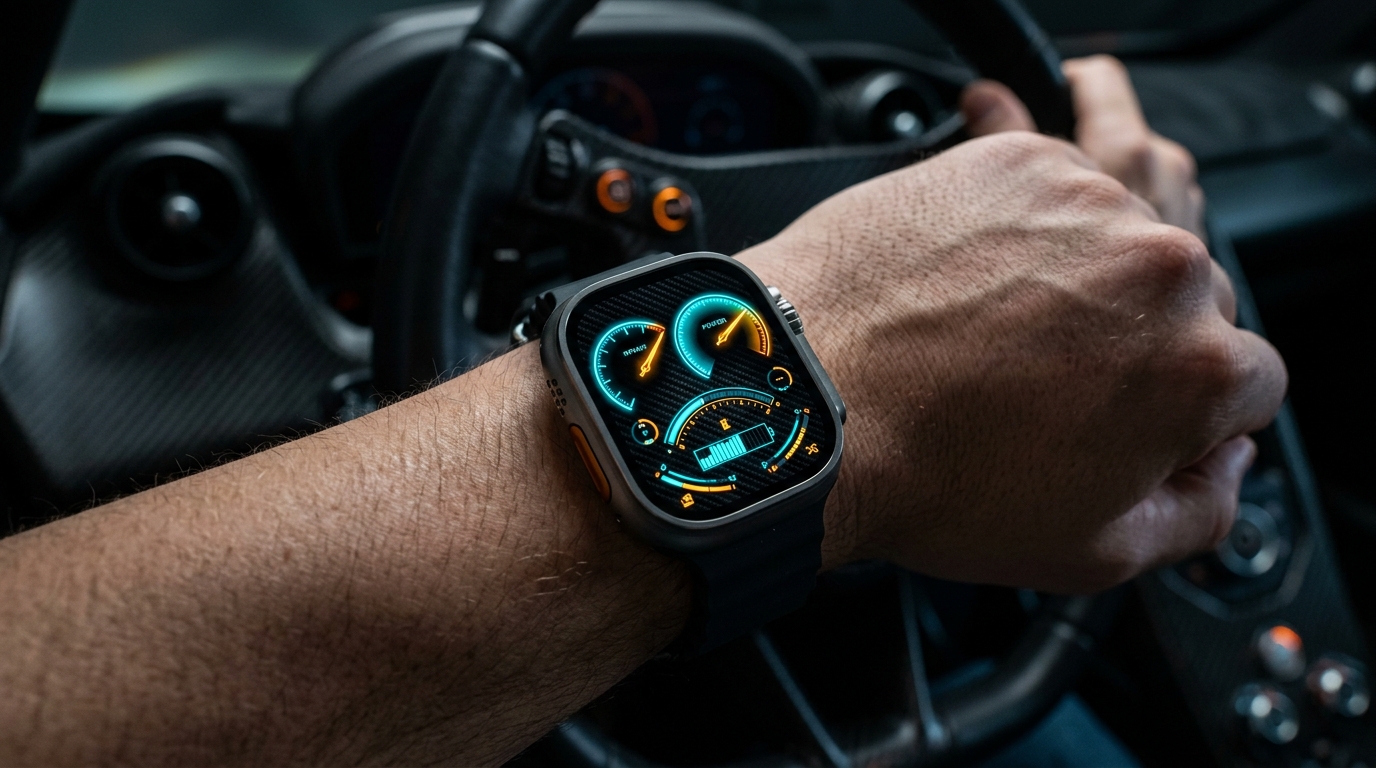
Glowing twin-dial cluster with battery, steps, heart rate, distance, humidity and temperature gauges
★ 4.9 • 4 Variants • watchOS Compatible
Features & Complications
- Steps
- Heart Rate
- Humidity
- Battery
- Temperature
- Distance
- Date
Available Color Variants
Frequently Asked Questions
How do I install a watch face on my Apple Watch?
Open the Space app on your iPhone, select your preferred watch face design, and tap "Add to My Watch". The watch face will open directly in the official Apple Watch app on iOS. From there, tap "Add to Current Faces" and it will immediately appear on your wrist.
Which Apple Watch models and watchOS versions are supported?
Space watch faces and WidgetKit complications support Apple Watch Series 4 through Series 10, Apple Watch SE (1st & 2nd gen), and all Apple Watch Ultra models. For the best experience, we recommend running watchOS 10 or watchOS 11 (and watchOS 27).
Do I need the companion watchOS app installed on my Apple Watch?
For static face designs, the iPhone app is sufficient. However, for live telemetry complications (step counters, heart rate zones, moon phases, weather) and mini-games like Pocket Pals, the companion watchOS app must be installed on your watch.
More Watch Faces
- NEON GAUGE — Big glowing numbers over gradient arc gauges
- Retro Dashboard — Casio-style 7-segment LCD with battery, exercise minutes, distance, heart rate, steps, weather, and humidity.
- Racer Dashboard — Automotive instrument cluster with twin dials for steps and heart rate, plus gauges for humidity, battery and temperature
- NEON SIGN — AM/PM sign, heart rate, battery and weather on a neon board, with calories, steps and stand hours in segmented rings. Lit tubes are active, dim glass is not.
- Active Dashboard — Heart rate, steps, distance and weather at a glance.
- Doodle Dashboard — Playful hand-drawn marker face with date, weekday, battery, steps, calories, heart rate and temperature in colorful doodles
Apple Watch Guides & Articles
- Clockology Alternative for Apple Watch: Native Faces (2026) — Looking for a Clockology alternative for Apple Watch? Compare native WidgetKit watch face apps that fix Return to Clock timeouts and battery drain.
- Best Free Apple Watch Faces in 2026: Without Subscriptions or Clutter — Discover the best free Apple Watch faces in 2026. Explore clean native dials, free complication widgets, and setups without paid subscriptions or battery drain.
- Best Apple Watch Face for Pilots: Zulu Time & Flight Setups — Discover the best Apple Watch face for pilots with Zulu time, METAR aviation weather, cockpit timers, and essential flight complications for safe flying.
- Apple Watch Face Sizes Compared: 40mm, 41mm, 42mm, 45mm, 46mm & 49mm Guide — Apple Watch face sizes compared across 40mm, 41mm, 42mm, 45mm, 46mm, and 49mm cases. Compare display area, resolution, complications, and wrist fit.