Best Apple Watch Face for Pilots: Zulu Time & Flight Setups
Discover the best Apple Watch face for pilots with Zulu time, METAR aviation weather, cockpit timers, and essential flight complications for safe flying.
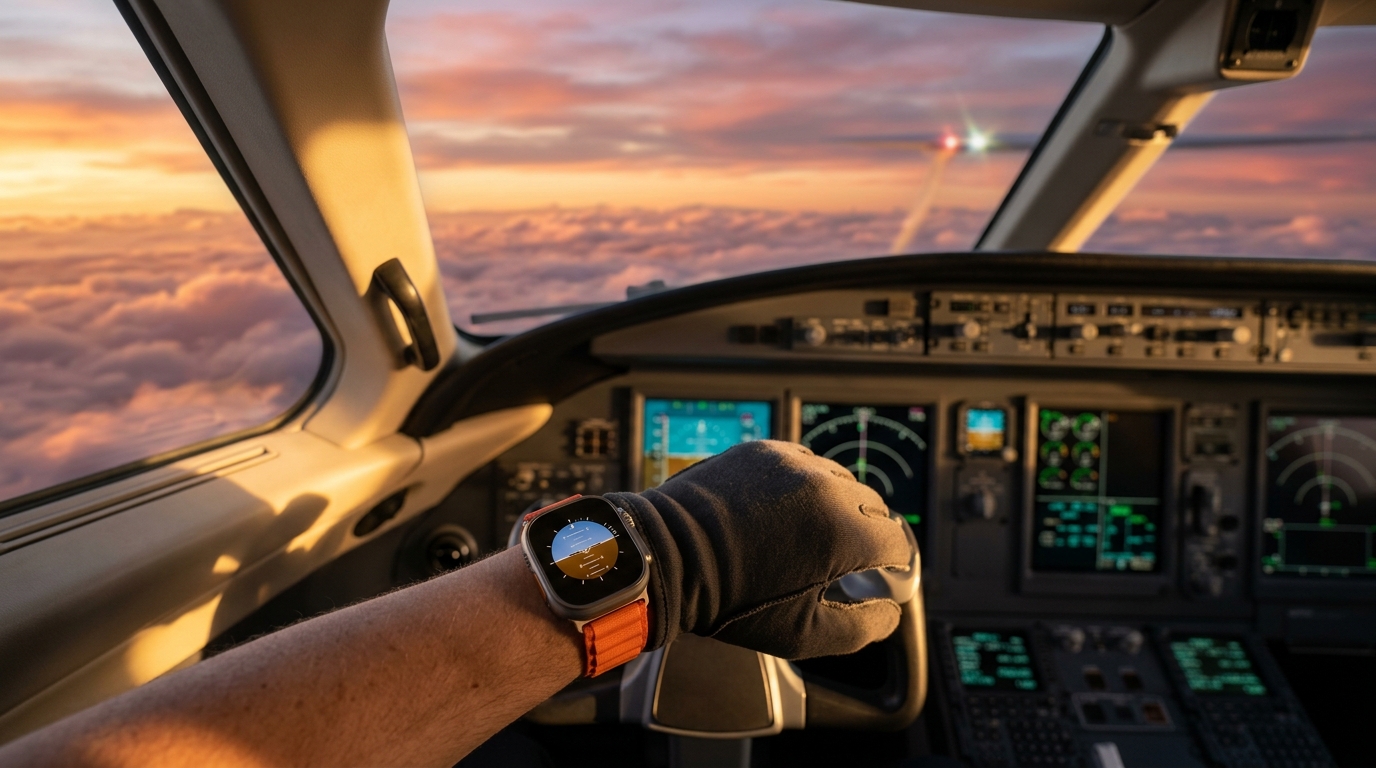
Cockpit ergonomics demand immediate, unambiguous data ingestion. At 8,500 feet during an instrument approach or while coordinating with air traffic control, fumbling through sub-menus or waiting for an unresponsive digital complication is completely unacceptable. While a flight bag tablet running ForeFlight or Garmin Pilot serves as your primary electronic flight bag (EFB), having persistent situational telemetry on your wrist offers unmatched convenience. Finding the best apple watch face for pilots comes down to three operational pillars: persistent Zulu (UTC) time, instant leg and fuel timers, and rapid aviation weather telemetry. Whether flying cross-country in a Cessna 172 or managing transatlantic legs in a multi-crew flight deck, configuring the right watchOS dials transforms your wrist into an indispensable secondary flight display.
Modern aviation wristwear has evolved far beyond traditional slide-rule mechanical chronographs. Today's connected cockpit demands glanceable information that synchronizes directly with flight plans, automated weather reporting systems, and universal aviation timekeeping standards. With the edge-to-edge displays of Apple Watch Series 10 and the ultra-bright 3000-nit sapphire screen of Apple Watch Ultra 2, pilots have access to an adaptable digital canvas that performs under blinding cockpit glare and preserving night vision during dusk descents.
The Anatomy of the Best Apple Watch Face for Pilots
Selecting the best apple watch face for pilots requires looking beyond cosmetic aesthetics to focus strictly on cockpit utility, high-contrast typography, and complication layout hierarchy. In a working cockpit environment, visual clutter creates cognitive friction. A pilot's watch face must communicate critical telemetry within a quarter-second glance.
Critical Cockpit Complications: Zulu Time, METAR, and Timers
Every international flight plan, air traffic control clearance, ATIS broadcast, and weather briefing operates on Coordinated Universal Time (UTC), universally designated in aviation as Zulu time. An aviation-grade watch face must feature Zulu time prominently alongside local time to prevent hazardous mental math errors during high-stress descents and busy airspace handoffs.
Beyond universal timekeeping, three core complications belong on every cockpit dial:
- High-Precision Timers: Critical for timing instrument holds (standard 1-minute inbound and outbound legs), executing missed approach procedures, and managing wing fuel tank switching intervals.
- Aviation Weather (METAR): Glanceable flight category indicators (VFR green, MVFR blue, IFR red, LIFR magenta), wind barbs, and ceiling heights from third-party complications such as METAR Pilot or AeroWeather.
- Barometric & Environmental Telemetry: Rapid readouts of ambient station pressure, local density altitude, and sunset timing for flight currency tracking.
The Reykjavik Configuration: Eliminating Daylight Saving Drift
A widespread trap for student pilots and flight crews setting up standard watchOS World Clock complications is linking the secondary dial to London, United Kingdom. While the Royal Observatory at Greenwich defines Greenwich Mean Time (GMT), the UK observes British Summer Time (BST) from March through October, advancing local clocks by UTC+1. If your Zulu complication points to London, your flight log entries, clearance void times, and NOTAM reviews will be thrown off by exactly one hour throughout the summer.
To establish a bulletproof, year-round Zulu time complication without Daylight Saving Time drift, configure your watchOS World Clock to track Reykjavik, Iceland:
1. Open the Clock app on your paired iPhone. 2. Navigate to the World Clock tab and tap the + (Add) icon. 3. Search for Reykjavik (Iceland observes UTC/GMT year-round without daylight saving adjustments). 4. On your Apple Watch, long-press your active watch face and tap Edit. 5. Swipe to your complication selection, tap a sub-dial slot, and select World Clock > REY.
This single configuration ensures your wrist always matches the master clock in your aircraft's panel avionics and transponder readouts.
Top Watch Face Setups for Cockpit Workflows
Depending on your airframe, flight profile, and personal ergonomics, different dial architectures provide distinct tactical advantages. Below are three battle-tested layouts engineered for modern cockpits.
High-Density Telemetry: Digital Cluster & Modular Ultra
For instrument-rated pilots and flight instructors operating under demanding IFR workloads, digital precision eliminates the cognitive overhead of interpolating physical watch hands.
The Digital Cluster face is built with high-density segmented readouts and sharp visual boundaries that remain legible even under direct midday sun washing through an unshaded cockpit canopy. Pairing Digital Cluster or the Modular Ultra face creates an uncompromising cockpit telemetry suite:
- Top Left Slot: Local Time (12-hour or 24-hour format).
- Top Right Slot: Zulu Time (Reykjavik UTC offset).
- Center / Wide Slot: Live METAR or digital runway wind components.
- Bottom Left Slot: Quick-start 30-minute Fuel Tank Timer.
- Bottom Right Slot: Cabin Pressure / Altimeter sensor readout.
- Preserved Benefit: Immediate digital legibility with zero mental calculation delays during turbulent instrument approaches.
- Explicit Trade-Off: High-frequency data complications pull background refreshes across cellular and Wi-Fi data links, reducing battery endurance by 12% to 15% across an eight-hour duty day.
Tactical Meteorology & Density: Weather Dashboard
Weather is the single greatest dynamic threat in general and commercial aviation. Rapidly deteriorating ceilings, lowering dew point spreads, and unforecast convective activity require continuous monitoring long before you reach your alternate airport.
The Weather Dashboard face organizes atmospheric data into an interconnected grid of meteorological gauges. Designed for weather-conscious pilots, it consolidates ambient temperature, barometric trends, dew point convergence, and precipitation radar vectors into a single glanceable surface.
- Preserved Benefit: Immediate peripheral monitoring of barometric pressure drops and dew point convergence, alerting pilots to impending ground fog or frontal passages without reaching for the tablet.
- Explicit Trade-Off: Dedicated screen real estate is devoted entirely to meteorological parameters, requiring flight crews to offload secondary fuel-switch timers to physical aircraft instruments or the Apple Watch Action Button.
The Classic Dual-Time Dial: GMT and Blueprint Dashboard
Pilots who appreciate the heritage of classic aviation chronometers—such as the Rolex GMT-Master developed for Pan Am crews in the 1950s—will appreciate the dual-time analog approach.
The native watchOS GMT face features an inner 12-hour local dial surrounded by a color-coded 24-hour bezel with a dedicated red hand locked to Zulu time. For a more technical, aeronautical drafting aesthetic, the Blueprint Dashboard face blends technical blueprint schematics with clean geometric complications.
- Preserved Benefit: Intuitive visual representation of daylight and night cycles across global destination waypoints via the 24-hour split bezel.
- Explicit Trade-Off: Analog hands can physically obscure smaller complication text slots at specific minutes past the hour (most notably at 15 and 45 minutes).
Operational Flight Utilities: Zulu Sync and Epoch Timestamps
Modern aviation timing extends beyond the cockpit instrument panel into preflight dispatch planning, weight-and-balance calculations, and digital maintenance logbook auditing.
Rapid Preflight Time Conversions with Time Zone Converter
Cross-country and intercontinental flights require calculating departure local time, destination arrival local time, and universal Zulu time across varying Flight Information Regions (FIR). When filing flight plans with Flight Service or adjusting slots with European Central Flow Management, mental time conversions can lead to costly gate delays.
Before stepping into the cockpit, pilots can verify international offsets and flight-leg durations using our interactive Time Zone Converter. It allows you to simulate arrival windows, compare cross-meridian layovers, and coordinate ground handling logistics without leaving your web browser.
Digital Avionics Logs and Epoch Timestamp Auditing
Modern glass-cockpit avionics systems—including the Garmin G1000 NXi, Collins Pro Line Fusion, and Honeywell Primus suites—record flight data monitoring (FDM), quick-access recorder (QAR) logs, and engine telemetry using standard Unix epoch timestamps.
When post-flight maintenance crews audit engine exceedance parameters, ADS-B track anomalies, or flight data recorder events, timestamps are logged in elapsed seconds since January 1, 1970 (UTC). Using our browser-based Epoch Converter, maintenance technicians and safety officers can instantly decode raw avionic log files into human-readable Zulu timestamps for incident debriefs and FAA compliance logs.
Cockpit Configuration: WatchOS Settings & Battery Survival
A smartwatch in the cockpit must be configured to prevent distraction, preserve biological night vision, and survive lengthy multi-leg flight duty periods.
Night Vision Preservation and Cockpit Lighting Discipline
Preserving scotopic (night) vision is vital during night VFR cross-country flights and unlit runway approaches. White and blue screen emissions degrade rhodopsin in the human eye, destroying night adaptation for up to 30 minutes.
- Apple Watch Ultra Red Night Mode: Rotate the Digital Crown upward on the Wayfinder or Modular Ultra face to engage Night Mode, shifting all UI elements to monochromatic red.
- Custom Cockpit Focus Filter: Create a dedicated "Flight" Focus Mode under `Settings > Focus > New Focus > Custom`. Set the watch to switch automatically to an OLED-blackened watch face with dimmed complications upon activation.
- Disable Wake on Wrist Raise: In turbulent night conditions, inadvertent arm movement can trigger the display, reflecting off the cockpit windscreen and distracting crew members. Navigate to `Settings > Display & Brightness > Wake on Wrist Raise` and toggle it Off. Use tap-to-wake or crown-scroll to illuminate the screen intentionally.
Managing Battery Endurance on Long Cross-Country Flights
While Apple Watch Ultra easily delivers 36 to 60 hours of operational endurance, standard 41mm and 45mm aluminum models can experience accelerated battery drain if cellular searching and continuous GPS polling remain active at high altitudes:
1. Disable In-Flight Cellular Searching: At altitudes above 3,000 feet AGL, your watch cannot maintain a reliable connection to cellular ground towers. The cellular radio will boost transmission power to maximum, rapidly draining battery. Enable Airplane Mode (`swipe up for Control Center > tap Airplane Mode`) while keeping Bluetooth active for your cockpit headset or iPad EFB link. 2. Configure Always-On Display Behavior: Navigate to `Settings > Display & Brightness > Always On > Hide Sensitive Complications` to keep critical timers visible while saving OLED display power during straight-and-level cruise flight.
Key Takeaways
- Reykjavik is the Aviation Gold Standard: Always link your Zulu time complication to Reykjavik, Iceland, rather than London to prevent one-hour Daylight Saving Time errors during summer months.
- Prioritize Digital Legibility in Turbulence: Digital faces like Digital Cluster and Modular Ultra provide immediate scan capability during busy instrument flight rules (IFR) approaches.
- Preserve Cockpit Night Vision: Utilize monochromatic red displays and disable Wake on Wrist Raise under `Settings > Display & Brightness` to eliminate unwanted cockpit glare.
- Leverage Preflight Web Utilities: Streamline international dispatch coordination with our Time Zone Converter and audit glass-cockpit maintenance telemetry using the Epoch Converter.
- Kill Cellular Searching Aloft: Switch on Airplane Mode during flight to stop the Apple Watch modem from searching for ground cell towers at cruise altitude.