Best Apple Watch Faces for Sleep Tracking in 2026
Find the best Apple Watch face for sleep: nocturnal OLED palettes, Vitals recovery metrics, Sleep Focus automation, and resting heart rate complications.
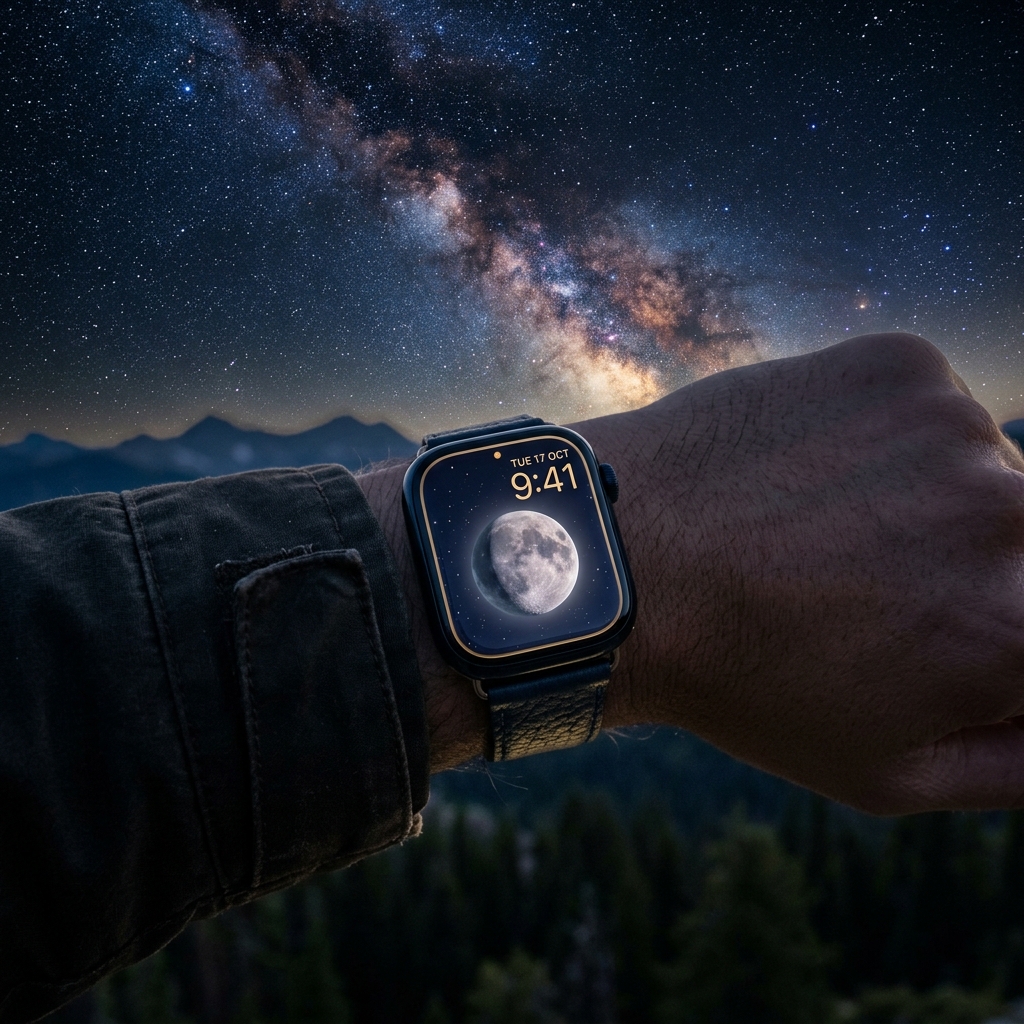
Designing a Zero-Glare Nocturnal Interface for Circadian Recovery
Wearing an Apple Watch to bed turns continuous sensor telemetry into actionable recovery data. Between optical PPG heart rate sensors, wrist temperature tracking, accelerometer-based sleep stage classification, and overnight respiratory rate monitoring, watchOS captures a detailed physiological profile while you rest. However, an unoptimized watch display undermines this process. Bright complication rings, active OLED white pixels, and sudden display wakeups disrupt melatonin secretion and break dark adaptation when checking the time at 3:00 AM. Selecting the best apple watch face for sleep requires balancing two distinct operational states: a low-luminance, non-distruptive nocturnal display during the night, and a high-clarity recovery dashboard upon waking.
Rather than relying on a single static layout 24 hours a day, an effective sleep tracking setup pairs automated watchOS Focus filters with dedicated watch faces. This strategy creates a dark, distraction-free environment while you fall asleep, followed by an immediate readout of resting heart rate, baseline vitals, and daily schedule the moment your morning alarm sounds.
This comprehensive guide analyzes the best Apple Watch faces for sleep tracking, detailing layout architectures, nocturnal color science, complication hierarchies, and battery optimization protocols for seamless 24/7 wear.
1. What Makes the Best Apple Watch Face for Sleep Tracking?
A sleep-optimized watch face must solve physical and physiological challenges that standard daytime faces ignore. At night, ambient bedroom lighting drops to near-zero lux, making standard displays appear blindingly bright:
- Sub-1-Nit OLED Light Emission: Modern Apple Watch displays (Series 9, Series 10, and Ultra) drop down to 1 nit of brightness in dark rooms. However, full-color white or neon watch faces still cast significant ambient light across a dark bedroom. The ideal nocturnal face uses a true-black OLED background with monochromatic red, deep amber, or muted silver typography to preserve scotopic (night-adapted) vision.
- Zero-Distraction Complication Hierarchy: Active daytime complications—such as closing Activity rings, unread email badges, or stock tickers—trigger cognitive arousal and blue-light stimulation before bed. A nighttime layout strips away high-frequency data, displaying only essential sleep-adjacent telemetry: current lunar phase, battery percentage for overnight tracking, and silent alarm status. To explore complication data structures, see our mastering watchOS complications guide.
- Morning Diagnostic Readiness: When waking up, your watch face should instantly transition from sleep preservation to physiological assessment. Having immediate access to overnight resting heart rate (RHR), date, and upcoming calendar appointments prevents the urge to immediately grab an iPhone and plunge into notification overload.
2. Nocturnal Minimalism & Circadian Sync: Moon Phase Setup
Before falling asleep, your biological clock relies on decreasing ambient light to trigger natural melatonin release. The Moon Phase face delivers an astronomy-grounded, ultra-minimalist interface that eliminates visual clutter while keeping you aligned with natural circadian and lunar cycles.
The Layout Architecture
The Moon Phase face strips away unnecessary daytime distractions in favor of clean astronomical tracking:
- Center Rectangular Complication: High-fidelity lunar disk rendering displaying the exact real-time moon phase, illumination percentage, and days until the next full or new moon.
- Bottom Platter Slot: Subtle digital time paired with the date, formatted in muted low-contrast typography.
- Battery Margin Indicator: Integrated battery status complication to ensure your Apple Watch has at least 30% charge before you fall asleep.
Nocturnal Palette Selection: The Power of Blood Moon Red
Wavelength matters as much as brightness. Blue and green light wavelengths (450–500 nm) stimulate melanopsin-containing retinal ganglion cells, signaling daytime wakefulness to the suprachiasmatic nucleus.
Configuring the Blood Moon or Red color variant on the Moon Phase face shifts the entire display spectrum into long-wavelength red light (620–750 nm). Red light has minimal impact on dark adaptation and does not suppress melatonin synthesis, making it the safest visual palette if you wake up during the night to check the time.
Operational Trade-Offs
- Preserved Benefit: Provides instant time and lunar cycle visibility under ultra-low lux without degrading night-adapted vision or disturbing your sleeping partner.
- Explicit Trade-Off: Monochromatic minimal design removes instant access to active step counters, messaging shortcuts, and weather forecasts until you switch to a daytime face.
- Practitioner Recommendation: Pair this face with watchOS Night Mode or the Blood Moon variant, keeping Always-On display active only if wrist wake gestures are disabled.
3. Morning Diagnostic Dashboard: Vitals Date Setup
The moment you wake up, your operational priorities flip from light suppression to daily organization and biometric review. Switching to a structured morning dashboard provides immediate situational awareness without opening multiple apps.
The Layout Architecture
The Vitals Date face serves as a clean, high-utility transition face designed for morning routines:
- Top-Left Gauge: Overnight Battery Level indicator to quickly verify whether the watch needs a quick 20-minute top-up before leaving home.
- Center Hero Platter: Large, bold Date and Calendar complication to orient your day, schedule, and morning commitments at a single glance.
- Bottom-Left Slot: Daily Steps counter reset to zero, establishing your physical baseline for the day ahead.
- Bottom-Center Slot: Active Calorie burn gauge tracking early basal metabolic expenditure.
- Bottom-Right Slot: Live Heart Rate monitor to check morning resting pulse against historical baselines.
Establishing a Morning Physiological Check
Checking your baseline metrics upon waking provides a clear window into sleep recovery. If your morning resting heart rate is 5–8 BPM above your baseline or your early active calories spike unusually fast, your body is signaling incomplete recovery from previous training or poor sleep quality. For a deeper breakdown of tracking cardiovascular recovery trends, explore our Mastering Training Load & Vitals on Apple Watch.
Operational Trade-Offs
- Preserved Benefit: Combines date, battery status, and primary HealthKit vitals on a single screen, streamlining your morning routine without requiring iPhone screen time.
- Explicit Trade-Off: Multi-complication HealthKit data polling increases daytime processing overhead compared to static faces, though impact is negligible during normal daytime wear.
4. Recovery Biometrics & Sleep Quality: Vitals Heart Rate Setup
For athletes, shift workers, and biohackers tracking autonomic nervous system (ANS) recovery, morning resting heart rate (RHR) and Heart Rate Variability (HRV) are critical diagnostic markers. The Vitals Heart Rate face places cardiac telemetry front and center.
The Layout Architecture
The Vitals Heart Rate face prioritizes cardiovascular telemetry directly on the home screen:
- Center Hero Metric: Prominent real-time Heart Rate (BPM) complication showing current pulse alongside your overnight resting baseline.
- Top-Left Gauge: Battery Percentage gauge to monitor discharge rates.
- Bottom-Left Slot: Active Calorie Burn to track energy expenditure.
- Bottom-Center Slot: Step Count to measure morning movement and post-sleep mobilization.
- Bottom-Right Slot: Stand Hours tracker to encourage prompt posture breaks throughout the morning.
Interpreting Overnight Cardiovascular Signals
During deep Non-REM sleep, the parasympathetic nervous system dominates, causing resting heart rate to dip to its lowest point (often referred to as the sleeping heart rate dip). A healthy cardiovascular dip is typically 10–20% below your daytime resting heart rate:
- Elevated Overnight RHR: If your morning heart rate remains elevated, common culprits include late-evening meals, alcohol consumption, high training strain, or illness.
- Breathing Disturbances & Sleep Apnea: watchOS also tracks micro-movements to detect respiratory disruptions. To configure medical-grade breathing telemetry, read our complete guide on Tracking Sleep Stages and Apnea with HealthKit.
Operational Trade-Offs
- Preserved Benefit: Instant visibility of cardiac recovery metrics immediately upon waking, enabling informed decisions regarding workout intensity or rest days.
- Explicit Trade-Off: High-frequency optical sensor polling during workouts and daytime wear draws moderate battery; ensure regular morning charging habits.
5. watchOS Sleep Automation: Automating Face Transitions & Charging
To achieve a seamless sleep tracking experience, you should never have to manually swipe between your daytime, nighttime, and morning watch faces. Leveraging watchOS Focus automation handles the entire workflow autonomously.
Automating Face Switching with Sleep Focus
You can bind specific watch faces directly to your sleep schedule so your Apple Watch transforms automatically at bedtime:
1. Configure Sleep Focus: On your iPhone, navigate to `Settings > Focus > Sleep`. 2. Assign Watch Face: Under the Customize Screens section, select the Apple Watch icon and choose the Moon Phase face. 3. Schedule Automation: Set your Sleep Schedule in the Health app (e.g., Bedtime at 11:00 PM, Wake Up at 7:00 AM). 4. Morning Transition: Bind your default daytime face—such as Vitals Date or Vitals Heart Rate—to your standard wake-up time or Personal Focus mode.
For advanced automation workflows across different daily contexts, check our Apple Watch Focus Modes productivity guide.
Managing Overnight Battery Consumption & Charging Routines
Continuous overnight tracking—utilizing optical PPG sensors, accelerometer sampling, and skin temperature sensors—consumes approximately 8% to 14% battery over an 8-hour sleep period (varying slightly between Series 7/8/9/10 and Apple Watch Ultra).
To maintain 24/7 continuous wear without battery anxiety, establish a structured charging routine:
- The 25-Minute Morning Charge: Place your Apple Watch on its fast charger while taking a morning shower and preparing breakfast. Apple Watch fast charging (Series 7 and later) replenishes 0% to 80% in approximately 45 minutes, meaning a 25-minute morning top-up easily recovers overnight battery drain.
- The Evening Pre-Bed Buffer: Check your battery complication before getting into bed. If battery level is below 30%, watchOS may disable sleep stage tracking or temperature logging. A quick 15-minute top-up before bedtime guarantees uninterrupted overnight telemetry.
- Display Settings: Navigate to `Settings > Display & Brightness > Always On` and ensure Always On is toggled off during Sleep Focus to conserve an additional 3–5% battery per night. For full battery preservation tactics, see our Apple Watch battery life guide.
Key Takeaways
- Adopt a Two-Phase Strategy: Use a low-luminance face like Moon Phase (Blood Moon red palette) for sleep, and transition to Vitals Date or Vitals Heart Rate upon waking.
- Eliminate Nocturnal Glare: Red and amber wavelengths prevent dark adaptation loss and avoid disrupting melatonin synthesis during late-night awakenings.
- Automate with Sleep Focus: Bind watch faces to your Health app sleep schedule via `Settings > Focus > Sleep > Customize Screens` for hands-free switching.
- Build a 20-Minute Charging Habit: Charge your watch during your morning hygiene routine to offset the 8–14% overnight battery consumption without missing daytime activity tracking.
- Track Recovery Trends: Monitor morning resting heart rate and Apple Watch Vitals baselines to calibrate daily workout intensity and identify physical fatigue early.