Watch Faces
/
Activity
/
Active Dashboard
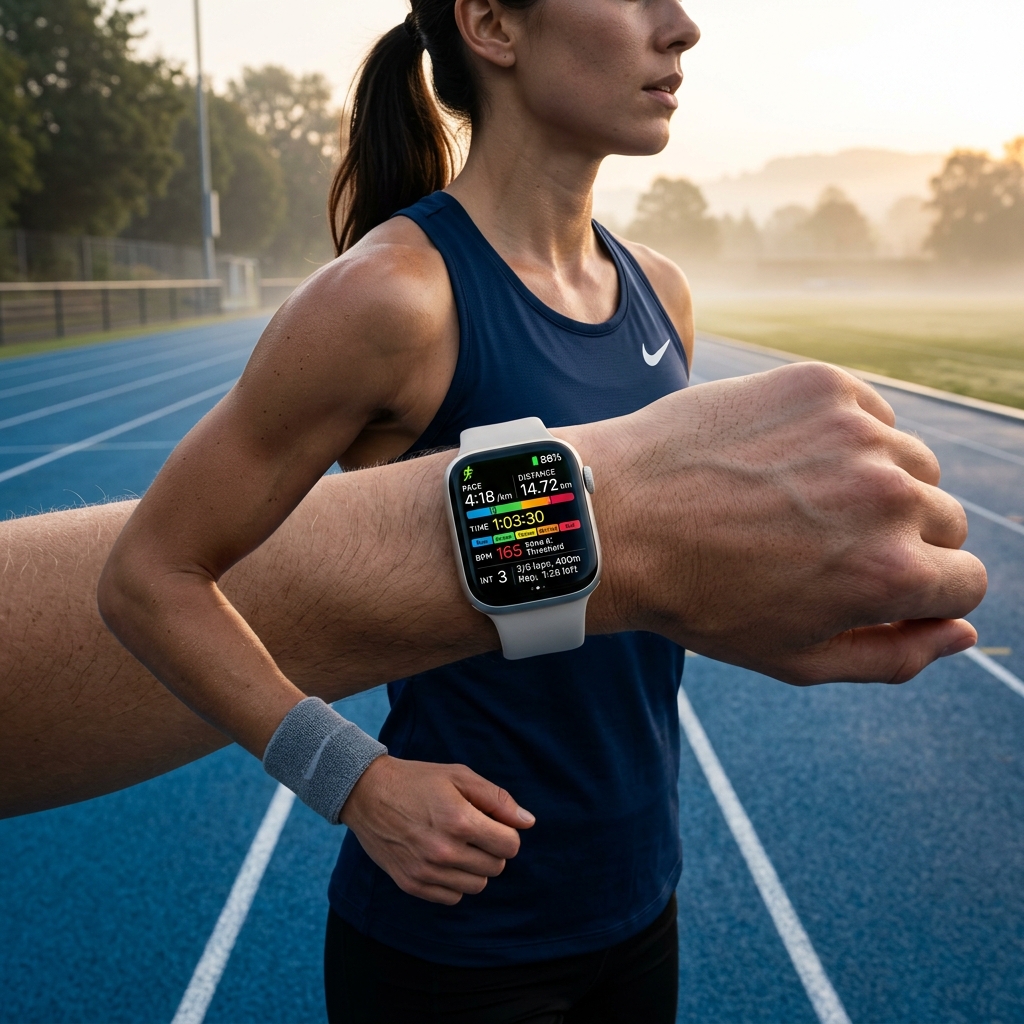
Active Dashboard
Heart rate, steps, distance and weather at a glance.
★ 4.9
•
1 Variants
•
watchOS Compatible
Features & Complications
Heart Rate
Weather
Temperature
Steps
Distance
Date
Available Color Variants
Default
More Watch Faces
Download on App Store
Watch Faces
Mini Games
— Four games on your watch — Bricks, Snake, 2048 and Tic Tac Toe. Play in the app, then read the frozen frame of your last game right on the dial, next to battery, weather, steps and calories. Inspired by 2048 by Gabriele Cirulli (MIT).
Pocket Pals
— A virtual pet you raise — it grows through life stages, shows its mood, and lives in a little world that blooms with good care. The four rings are your real data: battery, weather, steps and calories.
Bunker Dashboard
— Retro phosphor terminal with weather, battery charge, and vital stats.
Weather Dashboard
— Current weather and conditions, daily low (↓) and high (↑) temperature, wind speed, and battery. Powered by Apple Weather.
Weather Simple
— Current weather icon and temperature at a glance, daily low (↓) and high (↑) temperature, wind speed, and battery. Powered by Apple Weather.
Retro Dashboard
— Casio-style 7-segment LCD with battery, exercise minutes, distance, heart rate, steps, weather, and humidity.
Outdoor Companion
— Temperature, wind speed, steps, distance and calories — everything for your outdoor adventures. Battery level included.
Blueprint Dashboard
— Industrial blueprint frames with date, weather, steps, calories, flights climbed and battery.
Weather Condition
— Current weather condition with temperature and localized date. Battery level included.
UV & Sun Tracker
— UV index with sun arc, hourly UV forecast, sunrise time, sunset countdown and temperature.
Rain Forecast
— Minute-by-minute precipitation forecast with adaptive status, precipitation chance, humidity, temperature and wind.
Fitness Dashboard
— Track your activity with a dynamic robot companion. Battery, temperature, steps, calories, exercise minutes, and stand hours.
Active Dashboard
— Heart rate, steps, distance and weather at a glance.
Step Counter
— Steps as the main focus with progress toward 10,000 goal. Distance, calories and battery at a glance.
Moon Phase
— Track the lunar cycle with current phase, percentage, and days until the next full moon.
Heart Rate Zones
— Track your heart rate zones with daily chart, current heart rate, and key metrics.
Heart Rate Live
— Live heart rate with ECG visualizer and daily activity metrics.
Doodle Dashboard
— Playful hand-drawn marker face with date, weekday, battery, steps, calories, heart rate and temperature in colorful doodles
Racer Dashboard
— Automotive instrument cluster with twin dials for steps and heart rate, plus gauges for humidity, battery and temperature
Digital Cluster
— Glowing twin-dial cluster with battery, steps, heart rate, distance, humidity and temperature gauges
NEON GAUGE
— Big glowing numbers over gradient arc gauges
Vitals Weather
— Weather, steps, calories and heart rate at a glance on a bold filled dashboard.
Vitals Activity
— Steps, calories, distance and heart rate — your full activity picture.
Vitals Heart Rate
— Live heart rate front and center with calories, steps and stand hours.
Vitals Rings
— Move, exercise and stand goals with steps, calories and distance.
Vitals Date
— A large date with daily activity — steps, calories and heart rate.
Vitals Calories
— Active energy and activity — calories, steps, distance and heart rate.
Vitals Distance
— Distance, steps, calories and heart rate for every workout.
Vitals Moon
— Moon phase, sunrise and sunset with steps and battery.
Vitals UV
— UV index, sunrise and sunset with temperature, humidity and steps.
Curated Packs
The Weather Pack
— Five ways to read the sky — from hourly UV to minute-by-minute rain forecasts.
The Outdoor Pack
— Built for the trail, the summit, and the long way home.
The Fitness Pack
— Activity rings, heart rate zones and step counters — every metric within a glance.
Apple Watch Guides & Articles
Apple Watch Ultra 4 vs Ultra 3: Is the Rugged Upgrade Worth It?
Apple Watch Series 12 vs Series 11: Is the Upgrade Worth It?
Apple Watch SE vs Series 10: Watch Face Support Compared
Apple Watch Series 10 vs Ultra 2: Watch Face Differences Explained
Best Apple Watch Faces for Weather Nerds in 2026: Live Dials
Best Apple Watch Faces for Kids in 2026: Fun & Safe Setups
Best Dark Apple Watch Faces in 2026: AMOLED-Friendly Dials
Best Minimal Apple Watch Faces in 2026: Clean Setups
Best Apple Watch Faces for Work & Productivity (2026 Guide)
Best Apple Watch Face Hiking Guide: Navigation & Elevation
Best Apple Watch Face Gym: Weightlifting & Workouts
Best Apple Watch Faces for Cycling in 2026
Best Apple Watch Faces for Runners in 2026
Apple Watch Swimming & Depth Guide: Water Lock, Pool Tracking & Ultra Telemetry
Mastering Training Load & Vitals on Apple Watch: The Complete watchOS Recovery Guide
Setting Up Medical ID and Emergency Features on Apple Watch
How to Maximize Apple Watch Battery Life on watchOS
Apple Watch Complications Guide: Layouts, Slots & Best Setups
Tracking UV Index & Rain Forecasts on Apple Watch
Gamifying Daily Steps & HealthKit Habits with Pocket Pals
Heart Rate Zone Training & Vital Alerts on watchOS
Lunar Phase & Stargazing Astronomy Tracking on Apple Watch
watchOS 27: Every New Feature for Your Apple Watch (2026)
Gamifying Micro-Breaks on Apple Watch with Retro Mini Games
Tracking Sleep Stages and Apnea with HealthKit on watchOS
Minimizing Wrist Distractions with watchOS Focus Modes
Mastering Apple Watch Navigation & Compass Features for Backcountry Hiking
Mastering Running & Interval Workouts on Apple Watch (2026)
Best Apple Watch Faces for Sleep Tracking in 2026