Apple Watch Fast Charging Guide: 10W Cable, Speeds & Fixes
Master Apple Watch fast charging in 2026: 10W A3277 cable vs 5W, USB-C wattage, charge times for Series 12, Ultra 4 and SE 3, and fixes for slow charging.
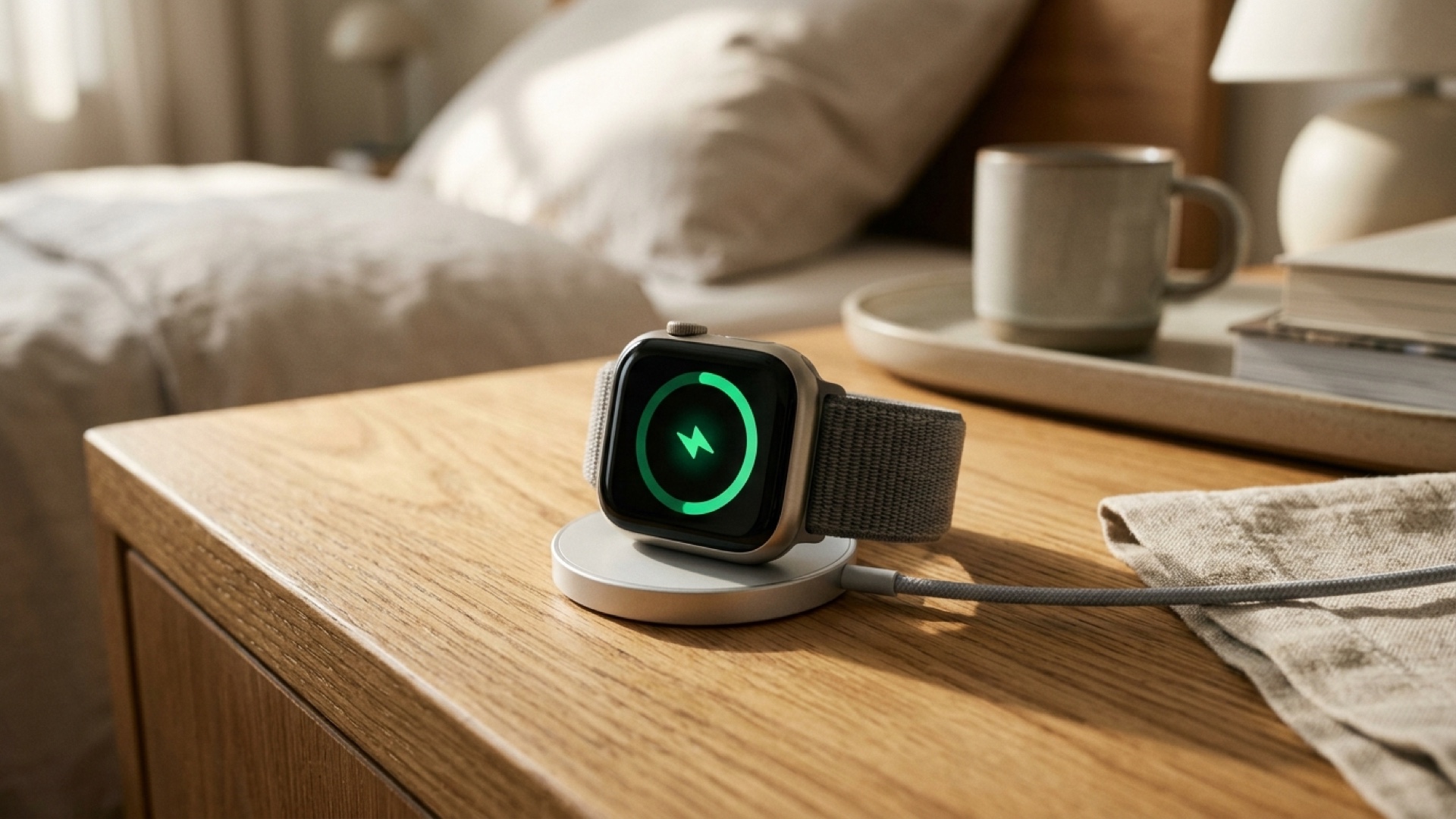
Apple Watch fast charging lets supported models reach 80 percent battery in 30 to 45 minutes, turning a quick morning shower into a full day of power. However, hitting peak speeds in 2026 requires matching your watch hardware with the exact USB-C puck and Power Delivery adapter.
Whether you just upgraded to Apple Watch Series 12, Ultra 4, or SE 3, plugging an older magnetic puck into a random USB port silently throttles your charge speed back to standard rates. Understanding the jump from 5W to 10W charging eliminates battery anxiety for sleep tracking and multi-day travel.
Key Takeaways
- 10W vs 5W hardware: Series 12 and Ultra 4 support up to 10W fast charging only when paired with the updated Apple USB-C Magnetic Fast Charging Cable (Model A3277).
- SE 3 milestone: Apple Watch SE 3 finally adds 5W fast charging, reaching 80 percent in about 45 minutes and gaining up to 8 hours of use from a 15-minute top-up.
- Adapter requirement: You need a USB-C Power Delivery (USB-PD) wall adapter rated at 18W, 20W, or higher to sustain fast charging profiles.
- 80 percent pause: If charging stalls at 80 percent, watchOS Optimized Charge Limit is protecting long-term battery health rather than malfunctioning.
- Estimate your exact time: Test your model and adapter combination with our Apple Watch Charging Calculator before leaving home.
What You Need for Apple Watch Fast Charging
Apple Watch fast charging depends on three pieces working together: a compatible watch, an official aluminum-rimmed USB-C magnetic fast-charging cable, and a USB-PD power brick. If any single link in that chain is outdated, watchOS falls back to standard 2.5W or 5W charging without showing a warning.
- Compatible Apple Watch models: Fast charging works on Apple Watch Series 7 through Series 12, every Apple Watch Ultra (1 through 4), and Apple Watch SE 3. Original SE, SE 2, and Series 6 or older lack the internal charging coil required.
- The right magnetic cable: Look for the silver aluminum housing around the magnetic puck and a USB-C connector. Older plastic-rimmed USB-A pucks cannot fast charge. Series 12 and Ultra 4 ship with the updated Model A3277 cable rated for 10W peak delivery, whereas older fast-charging cables (like Model A2515) cap out at 5W.
- USB-PD power adapter: Apple lists compatibility with its 18W, 20W, 29W, 30W, 35W, 61W, 87W, 96W, and 140W USB-C adapters, as well as certified third-party USB-PD chargers. Plugging into a low-output car USB port or legacy 5W cube prevents fast charging.
Apple Watch Fast Charging Times by Model (2026 Lineup)
Charging curves are fastest between 0 percent and 80 percent, then intentionally taper down to protect lithium-ion cell longevity and limit heat buildup. Here is how each current and recent generation performs when paired with the proper cable and USB-PD brick.
- Apple Watch Series 12 (10W with A3277): Charges from 0 to 80 percent in roughly 30 minutes. A quick 15-minute top-up delivers up to 12 hours of everyday battery life.
- Apple Watch Ultra 4 (10W with A3277): Charges its larger battery from 0 to 80 percent in about 45 minutes. Just 15 minutes on the puck adds up to 18 hours of normal use.
- Apple Watch SE 3 (5W fast charge): Charges from 0 to 80 percent in around 45 minutes, with a 15-minute boost providing up to 8 hours of runtime.
- Apple Watch Series 10 and Series 11: Reach 0 to 80 percent in roughly 30 minutes on an official USB-C fast charger.
- Apple Watch Series 7, 8, 9 and Ultra 1–3: Charge from 0 to 80 percent in 45 to 60 minutes, depending on battery size and ambient room temperature.
10W A3277 Cable vs Older Fast Chargers: What Changed?
With Series 12 and Ultra 4, Apple doubled peak magnetic power delivery from 5W to 10W using the Model A3277 cable. Because both cables look nearly identical at a glance, many upgraders leave their old nightstand puck plugged in and wonder why their new watch charges slower than advertised.
- How to spot the difference: Check the fine laser-etched model text printed on the USB-C plug or cable collar. Model A3277 unlocks full 10W charging on Series 12 and Ultra 4, while A2515 remains limited to 5W.
- Multi-device MagSafe pads: Many third-party 3-in-1 travel stands still use older 5W Apple Watch modules. They remain convenient overnight, but they will not deliver 15-minute emergency top-up speeds on Series 12 or Ultra 4.
- Preserved Benefit: Using the boxed A3277 cable with a 20W USB-PD brick cuts pre-sleep charging downtime in half.
- Explicit Trade-Off: Leaving an older 5W third-party stand on your desk is simpler for cable management, but you lose 10W burst speeds when rushing out the door.
Step-by-Step Setup: Optimal Sleep & Fast-Charge Routine
If you wear your Apple Watch to track overnight Sleep Score and Vitals on watchOS 27, you no longer need an overnight charger. Follow this 15-minute morning-and-evening routine to keep your battery healthy without missing sleep data.
Step 1 — Enable battery health protection: On your Apple Watch, open Settings > Battery > Battery Health* and verify Optimized Charge Limit is turned on. This lets watchOS learn your routine and pause around 80 percent when a full charge is not immediately needed.
- Step 2 — Pair a low-power night face: Before bed, switch to an OLED-friendly dark dial like Halo Ring or Weather Simple with Sleep Focus active so the screen stays dim overnight. For more tips on reducing display draw, read our Always-On Display Watch Faces Guide.
- Step 3 — Top up during your morning routine: Place your watch on your 10W A3277 puck (or 5W fast charger) while you shower and make coffee. Fifteen to twenty minutes reliably restores enough power for the entire day and next night.
- Step 4 — Override to 100 percent before travel: When you see the watch paused at 80 percent and need maximum endurance for a hike or flight, tap the green charging ring icon on the screen and select Charge to Full Now.
- Preserved Benefit: Keeping daily cycles mostly between 20 and 80 percent slows chemical battery aging over two to three years of ownership.
- Explicit Trade-Off: Pausing at 80 percent reduces single-day emergency buffer if you forget your charger at home, requiring an occasional manual override.
Why Apple Watch Fast Charging Stops Working (and How to Fix It)
When fast charging suddenly feels sluggish, the culprit is almost always thermal throttling, a mismatched cable, or a case blocking magnetic alignment.
- Thermal throttling above 35°C (95°F): If your watch feels warm after an outdoor run or sits in direct sunlight on a dashboard, watchOS pauses or slows charging above 80 percent to protect the battery. Remove the watch from heat and let it cool for five minutes before placing it on the puck.
- Thick bumper cases: Rugged snap-on cases or aftermarket magnetic rings can add 1 to 2 millimeters of air gap between the back crystal and the puck, dropping efficiency dramatically. Pop the case off if charging takes over an hour.
- Low-wattage laptop or hub ports: Older USB-A ports and unpowered keyboard hubs often supply only 2.5W to 4.5W. Plug your USB-C cable directly into a dedicated 20W+ USB-PD wall adapter.
- Dirty charging puck or back sensor crystal: Sweat, sunscreen, and lint create micro-gaps that generate excess heat. Wipe both the watch back and the magnetic puck with a slightly damp microfiber cloth.
- Temporary regional or cable quirks: Always use Apple-certified MFi or official Apple cables, as uncertified knockoffs frequently fail USB-PD handshakes after watchOS updates.
Frequently Asked Questions
Can I fast charge my Apple Watch with a 20W or MacBook USB-C charger?
Yes. Apple Watch safely draws only the power it needs from any certified USB-PD adapter rated at 18W, 20W, or higher, including a MacBook 30W, 61W, or 96W charger. Using a higher-wattage brick will not damage the battery, provided you use an official Apple USB-C magnetic fast-charging cable.Why does my Apple Watch stop charging at 80 percent?
This behavior is usually caused by Optimized Battery Charging or Optimized Charge Limit in watchOS. The watch learns your daily charging schedule and holds at 80 percent to minimize battery wear, finishing to 100 percent just before you normally put it on—or you can tap the charging ring and choose Charge to Full Now.Do I need the A3277 cable for Apple Watch Series 12 and Ultra 4 fast charging?
Yes, if you want the full 10W peak charging speed. Older official USB-C fast chargers (such as Model A2515) still fast charge Series 12 and Ultra 4, but they cap at 5W instead of 10W, making 0 to 80 percent charges noticeably slower.Does Apple Watch SE 3 support fast charging?
Yes. Apple Watch SE 3 supports 5W fast charging when paired with an Apple USB-C magnetic fast-charging cable and an 18W or higher USB-PD adapter. It charges from 0 to 80 percent in about 45 minutes and gains up to 8 hours of use from a 15-minute charge.Does fast charging damage Apple Watch battery health?
No. Apple engineers regulate voltage, current, and internal temperature continuously, slowing charge speeds automatically past 80 percent and pausing if the watch gets too warm. Enabling Optimized Charge Limit in Battery Health settings further protects long-term capacity.More Watch Faces
- Halo Ring — Steps fill the top of the ring, heart rate the bottom; temperature, UV, battery and calories sit in the corners.
- Weather Simple — Current weather icon and temperature at a glance, daily low (↓) and high (↑) temperature, wind speed, and battery. Powered by Apple Weather.
- Fitness Dashboard — Track your activity with a dynamic robot companion. Battery, temperature, steps, calories, exercise minutes, and stand hours.